
Nathan Friend
Remote Software Engineer at Stripe and cellist based out of Ontario. Previously at GitLab. Fascinated with building usable, delightful software.
Running CARLA on macOS (with some help from Fable)
July 17, 2026 | 3 minutes to read | 100% AI-free prose
I took my first Waymo ride a few years ago during a Stripe onsite in San Francisco, and it blew my mind. I don’t think there’s any experience that so thoroughly floored me. (Though playing with GPT-3 came close.) I’ve been hooked ever since.
Recently, I’ve been wanting to understand how these driving models actually work under the hood (literally).
Some Googling conversing with Claude quickly surfaced the CARLA simulator as the de facto starting point for dipping one’s toes into the world of autonomous driving.
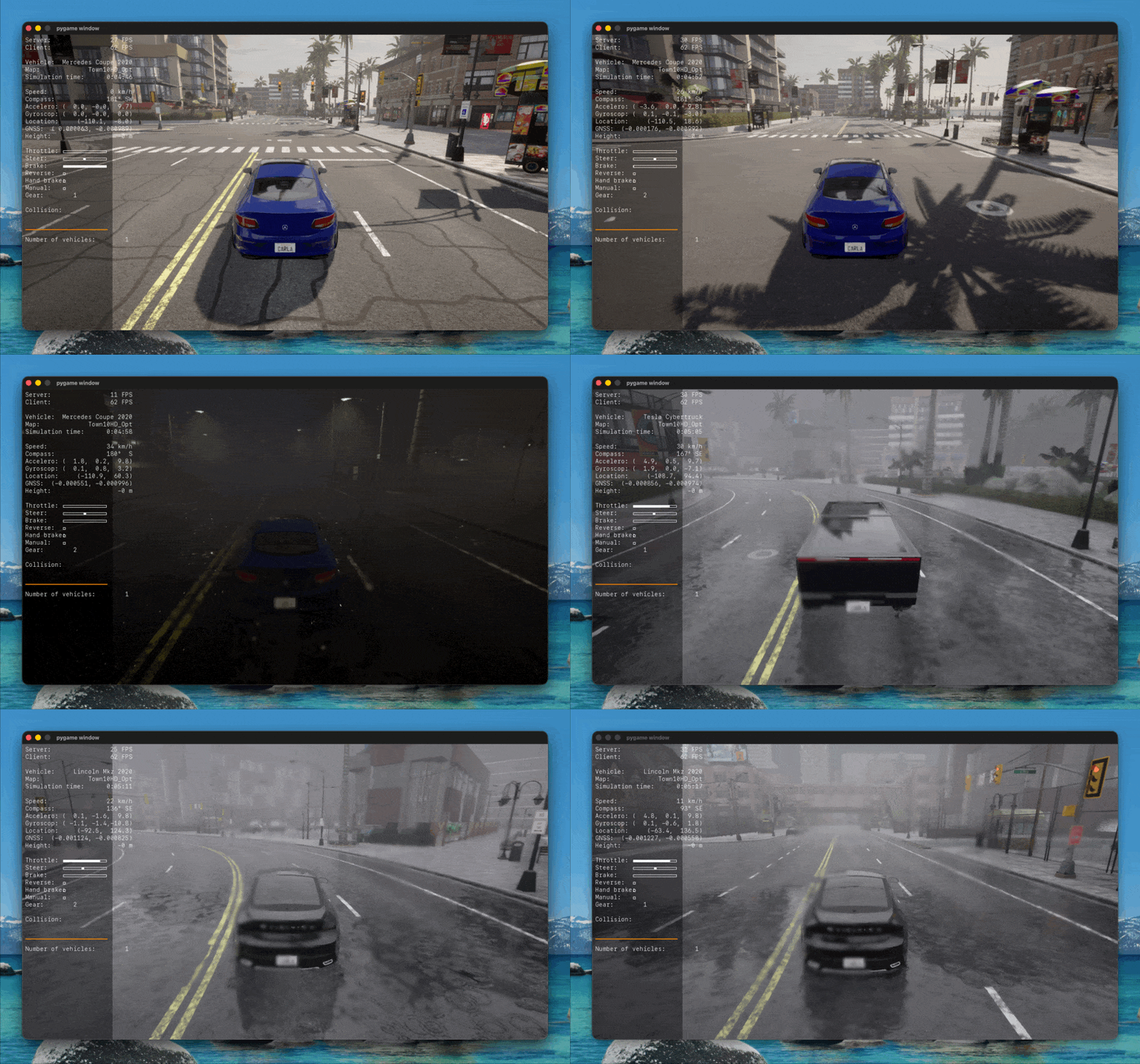
It’s essentially an ultra-realistic driving video game, albeit one that allows you to programmatically power the car with a Python script. It also provides easy ways to capture realistic data for training purposes (for example, camera + lidar + steering + throttle).
There’s one snag though: it only runs on Windows and Ubuntu. While I own a Windows machine, it’s ancient - I built it in 2015 - and its NVIDIA GTX 970 with 3.5 GB VRAM falls far below CARLA’s minimum requirement (NVIDIA 2070 with 8 GB VRAM).
Making it run on Apple Silicon
On a whim, I asked Fable to figure out a way to get CARLA running on my M4 MacBook Pro. I gave it a bit of direction and let it churn away inside Claude Code. Incredibly, about an hour later, I had a working CARLA server running on my MacBook!
I followed up with a request to Fable to document its work, and here’s what it spat out: https://gitlab.com/-/snippets/6006738.
Running the client natively
A little background: CARLA consists of two pieces, a client and a server. The server runs the simulation itself, while the client provides the environment to programmatically interact with the simulation via Python scripts. (See the docs for more info.)
While the approach Fable took in the snippet above technically worked, it had a major drawback: it ran the CARLA client in a Docker container. This meant I was unable to view the client visualizations (for example, camera and lidar sensor data) or control the car myself using the keyboard. I could still watch the simulation unfold using the server’s perspective, but this limited view was much less satisfying.
The client is a Python (Pygame) app - surely this could run natively on macOS! I fired up another Claude Code session and tasked Fable with adding macOS support. I’ll admit I was pessimistic I’d get lucky twice, but amazingly Fable came through once again. It made a number of small changes - which I won’t pretend to understand - that allowed me to launch the Pygame window and interact with CARLA via the native client.
Some thoughts
This might be my favorite application of AI: extremely low-stakes, grindy tasks that would otherwise distract from my primary objective. Instead of burning hours configuring Docker containers, I was able to spend my limited free time playing around with a working CARLA simulator and researching how to train my first driving model.
Relevant links
- Fable’s explanation of how to run the CARLA server and client on macOS: https://gitlab.com/-/snippets/6006738
- Another attempt at running CARLA on macOS: https://github.com/carla-simulator/carla/discussions/9037
- Fable’s changes to make the CARLA client run natively on macOS: https://github.com/nfriend/carla/compare/0786f275..master
- An (unreleased) change that might eventually make these shenanigans irrelevant: https://github.com/carla-simulator/carla/pull/9730
Other posts you may enjoy:
The model IS the backend
July 9, 2026 | 5 minutes to read
Useful things I've 3D printed
November 25, 2024 | 10 minutes to read
GitLab Pages with multiple domains
October 14, 2024 | 4 minutes to read
Zoom light
May 31, 2024 | 6 minutes to read
I built a weird keyboard
June 26, 2023 | 13 minutes to read
Copyright Nathan Friend © 2012 | Attributions
Site last deployed on 2026-07-17 at 19:35:31 UTC for commit 3e6e2771  View the source on GitLab